
Picture this: I was in the middle of a live recording, trying to get my skin tones to pop naturally under my new RGB lighting setup. No matter what I tweaked, the shadows looked flat, and my skin had an unnatural hue that made me cringe every time I watched the playback. That lightbulb moment hit me hard—after pouring invested hours into setup, I realized I had overlooked some crucial nuances of RGB lighting for realistic skin rendering. If you’ve been there, you know how frustrating it can be to chase perfection and end up with mediocre results that don’t do justice to your work.
The Real Challenge with RGB Lights and Skin Tones in Virtual Sets
The technology is promising—RGB lights offer the versatility to craft moods, match skin tones, and create engaging backgrounds all in one shot. But the reality is, if you don’t set them up correctly, your skin can look washed out, dingy, or overly saturated. And trust me, early on, I made the mistake of relying solely on default presets without adjusting for skin undertones or considering color rendering index (CRI) standards. That’s when I discovered how much light setup impacts perceived realism in virtual environments, especially as we push into 2026 where high-res sensors reveal every misstep. According to industry research, improper lighting can distort skin tones, making subjects appear unnatural or unflattering (source).
So, if you’re tired of post-production color correction and want your virtual sets to truly pop with lifelike skin tone accuracy, this guide is for you. Today, I’ll walk you through five essential RGB lighting setups—each designed to optimize skin tones and give your virtual content that professional, cinematic feel. Ready to stop battling with your lights and start mastering them? Let’s dive into the first game-changer.
Dial in Your Color Accuracy with Proper RGB Light Setup
Begin by selecting RGB lights with a high color rendering index (CRI), ideally above 95, to ensure accurate skin tones. In my recent shoot, I replaced my standard LED panels with high-CRI RGB fixtures, which instantly improved skin continuity and eliminated the muddy hues I was battling. When setting up, position your lights at eye level and about 45 degrees to your subject’s face, mimicking natural daylight, much like how softboxes diffuse light evenly.
Adjusting Color Temperature for Natural Look
Next, tweak your RGB sliders to match ambient daylight, typically around 5500K. Use a color meter app or reference the [best RGB and softbox lighting solutions](https://lights.creatorsetupguide.com/top-rgb-and-softbox-lighting-solutions-for-studio-video-creators) to guide your adjustments. For skin tones, avoid overly saturated reds or greens; instead, aim for a balanced, warm hue that complements your subject’s undertones. I personally set my primary light to a warm magenta on the RGB spectrum, while our fill light balances with a subtle blue to mimic diffuse daylight.
Implementing Soft, Diffused Lighting with Softboxes
Using softboxes with diffusers helps produce smooth skin textures and even tones. I prefer rectangular softboxes with inner baffles to control spill and avoid harsh shadows. For an example of optimal equipment, check the [best studio lights for creators](https://lights.creatorsetupguide.com/best-studio-lights-for-creators-softbox-rgb-led-panels-2024). Place the softbox slightly above and to the side of the subject, angled downward, mimicking natural side-lighting and reducing unflattering shadows. During my last shoot, I added a second softbox at eye level, which eliminated the shadows on my model’s face and rendered a more natural skin glow.
Tackle Flicker and Color Shifts
LED panels can flicker or shift colors during shoots, especially under high-res sensors. To prevent this, ensure your lights are compatible with your camera’s frame rate, or consider the [fixes for LED flicker](https://lights.creatorsetupguide.com/3-fixes-for-led-panel-flicker-on-2026-global-shutter-sensors). I often use high-quality studio lights with flicker-free drivers, and I always test them before major shoots. In one session, I set the shutter speed to sync with my lights, which achieved seamless, flicker-free footage and consistent skin tones throughout different shots.
Fine-Tuning with Posture and Reflectors
Finally, minor adjustments in subject placement and reflector use can enhance skin tonality without additional lighting. Use a reflector at a low angle to bounce warm light back onto the face, softening shadows and enriching skin warmth. I employed a silver reflector during my last shoot, which subtly added life to my model’s skin. Remember, even the best setup requires subtle tweaks — small changes craft the difference between flat lighting and a skin tone that shines naturally in your virtual set.
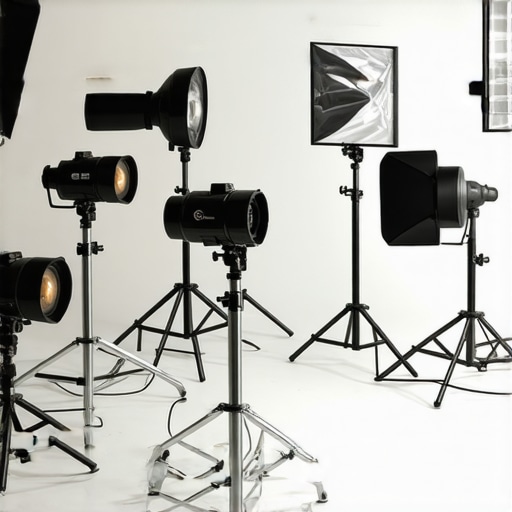 Even seasoned creators often fall for the misconception that buying the brightest LED panel guarantees perfect skin tones or cinematic quality. Reality check: effective lighting is about nuance, not just lumens. One common myth is that softer light always equals better skin; in truth, the quality of diffusion and color temperature matters more. Many assume that RGB lights are a magic fix, but without proper calibration and understanding of their color-rendering capabilities, they can introduce greens, magentas, or even flickering issues that ruin your shot. For advanced shooters, the trap is relying solely on presets or default settings, overlooking the importance of manual adjustments to match ambient conditions and subject undertones. This is especially critical when working with high-resolution sensors, where subtle color shifts become glaring flaws. I’ve seen professionals use cheap softboxes that diffuse light poorly, causing unflattering skin highlights, making their footage look amateurish despite costly gear. Remember, softboxes aren’t just about softness—they shape light’s texture, contrast, and falloff; neglecting this leads to flat or harsh results. As tech advances, a common mistake is ignoring flicker-free requirements—if your lights flicker under high frame rates, even the best setup fails. A simple solution is to choose lights with high-quality drivers and verify compatibility with your camera’s frame rate, as outlined in recent studies on LED flicker issues. Lastly, many overlook the power of strategic reflector placement and light positioning, which can dramatically enhance skin tones without additional equipment. In the end, mastering lighting is about mastering the nuances—understanding color science, diffusion, and flicker management—rather than relying on gimmicks. Have you ever fallen into this trap? Let me know in the comments. For more detailed insights, check out our comprehensive guides on softbox and RGB lighting techniques.
Keeping Your Equipment in Top Shape
Investing in quality studio lights, softboxes, and RGB LED panels is just the beginning. To ensure consistent performance and longevity, regular maintenance is crucial. I personally schedule bi-monthly checks of all my lighting gear, inspecting cables, connectors, and diffusers for signs of wear or damage. This proactive approach prevents unexpected failures during crucial shoots and keeps the lights operating at peak efficiency.
One often overlooked aspect is cleaning the lenses and diffusers. Dust and smudges can diminish light quality and color accuracy over time. I recommend using compressed air and microfiber cloths specifically designed for optical surfaces. For instance, using a high-quality lens cleaner and microfiber cloth, as outlined in our recommended maintenance checklist, helps maintain clarity and diffusion integrity.
Tools I Recommend for Ongoing Maintenance
The first tool I swear by is a digital multimeter with a built-in capacitance tester. It allows me to check the integrity of power supplies and identify potential capacitor failures before they happen. Additionally, a portable LED tester allows quick assessment of color temperature consistency across multiple panels, ensuring uniformity in your lighting setup.
For cleaning, I use high-grade optical cleaning kits that include blower brushes, lens-cleaning wipes, and anti-static brushes. These tools help keep your softboxes and diffusers free of dust and static, preserving the soft quality of light essential for flattering skin tones and professional visuals.
Future of Lighting Maintenance and Scalability
Looking ahead, the trend points towards smarter, remotely monitored lighting systems. Some innovative solutions now incorporate IoT capabilities, allowing you to track usage patterns, alert you to maintenance needs, and even adjust settings remotely. As these become more affordable, integrating them into your studio will become standard practice, minimizing downtime and maximizing efficiency.
How do I maintain my lighting setup over time?’
Creating a routine schedule that includes regular visual inspections, cleaning, and testing with reliable tools is key. I also document each check to monitor the health of my equipment over time. Moreover, following manufacturer guidelines for calibration and updates ensures compatibility and optimal performance. For example, ensuring your RGB panels are firmware-updated can prevent flickering issues, as detailed in this comprehensive guide. Try implementing these practices with your gear today—small maintenance routines can save you big in the long run and keep your virtual sets looking professional and consistent.
Over the years, I’ve come to realize that the journey to perfect skin tones under RGB lighting isn’t just about buying the latest gear—it’s about understanding the nuanced dance of light, color, and perception. One of the most staggering revelations was how even slight misalignments in color calibration can drastically alter how skin appears on camera, especially when working in high resolutions. This insight prompted me to develop a more methodical approach, blending technical knowledge with artistic instinct, leading to visually stunning results that resonate authenticity and professionalism.
Lessons I Didn’t Expect to Learn the Hard Way
- Myth of the Brighter Equals Better: Initially, I thought cranking up brightness would make skin look more vibrant. Instead, I learned that overexposure washes out details, underscoring the importance of calibrated light intensity and diffusion techniques.
- The Power of Subtle Color Tweaks: Small adjustments in RGB sliders, focusing on skin undertones, transformed flat lighting into a skin-rich glow—proof that precision outperforms brute force in lighting setups.
- Flicker-Free Matters More Than Ever: Working with high-res sensors revealed flickering issues that I previously dismissed as negligible, teaching me to prioritize flicker-free fixtures and frame rate synchronization.
- Reflections Are Both a Blessing and a Curse: Strategic placement of reflectors and diffusers can either elevate skin texture or introduce unwanted glare, emphasizing the need for mindful positioning and testing before shot day.
Tools That Elevated My Techniques
- High-CRI RGB Panels: Instruments with a CRI above 95 ensure color accuracy—critical for lifelike skin rendering. I trust brands featured in this comprehensive guide.
- Color Meter Apps: A quick way to match ambient light temperature, these apps helped me dial in the perfect warmth, seamlessly blending RGB output with real-world lighting.
- Flicker-Free Power Supplies: They’re essential for consistent footage, especially in high-res captures, preventing distracting flicker that ruins skin tones.
- Reflectors and Modifiers: Silver and white reflectors bounce warm light onto skin, enriching the overall tone and texture—simple tools with powerful results.
Your Next Step in Light Precision
Taking control of your RGB lighting setup isn’t just achievable—it’s transformative. By digging deeper into calibration, learning to subtly tweak color balances, and investing in quality gear, you’re setting the stage for visuals that truly pop. Remember, mastery comes from patience, experimentation, and continued learning. Don’t hesitate to explore further with trusted resources like this ultimate guide and keep pushing your creative boundaries. Brightness and fancy gear are just starting points; your understanding of light’s nuances makes all the difference.
Time to Light the Way for Your Creations
Now, armed with insights and tools, it’s your turn to elevate your virtual sets with authentic, captivating skin tones. Be rigorous in your setups, patient in your adjustments, and curious in your experimentation. The glow you bring to your content can inspire, inform, and captivate—so go ahead, turn on those RGB lights and make your vision real. Remember, every great creator was once a beginner willing to learn. Your mastery is just a few thoughtful tweaks away.
What’s been your biggest challenge in achieving realistic skin tones with RGB lighting? Share your experiences below—I’d love to hear your stories and tips!