
It was a frustrating shoot. I had carefully selected my softbox lighting setup, adjusted my RGB lights for that perfect color harmony, and thought my skin tones looked vibrant and true on camera. But once I reviewed the footage, my heart sank. Faces looked washed out or, worse, had bizarre color casts that made subjects look alien. That’s when I realized the sneaky culprit—those 3 RGB tones that are silently wrecking skin color accuracy in 2026.
Why Your Lighting Choices Can Sabotage Skin Tones
As creators, we rely heavily on our lighting to make our subjects shine. But if we’re not aware of how specific RGB tones interact with our sensors, we might be unknowingly sabotaging skin tones, making them appear off or unnatural. Over the years, I’ve learned that not all RGB lights are created equal, and in 2026, the stakes are even higher. Advances in sensor technology have made color rendering more complex, yet many lighting setups still overlook the subtle influence of certain RGB mixes. According to recent research, some RGB combinations can produce skin tones that are less accurate by up to 15%, especially under mixed lighting conditions. This can lead to hours of tedious color grading or, worse, compromised video quality that detracts from your viewers’ experience. Are you facing unexpected skin tone shifts despite using seemingly professional lighting? If so, you’re not alone. I’ve made the mistake early on of trusting my RGB lights blindly without understanding how certain tones interact with my camera sensors or how to calibrate the lights for consistent skin color reproduction. Trust me, that backfired more than once. To truly master your lighting in 2026, you’ll need to learn how to identify and neutralize these problematic RGB tones—something I’ll walk you through shortly. Ready to stop your lighting from undermining your work? Let’s dive into the common pitfalls and practical solutions to make your skin tones pop perfectly every time.
Identify and Calibrate Your RGB Lights Effectively
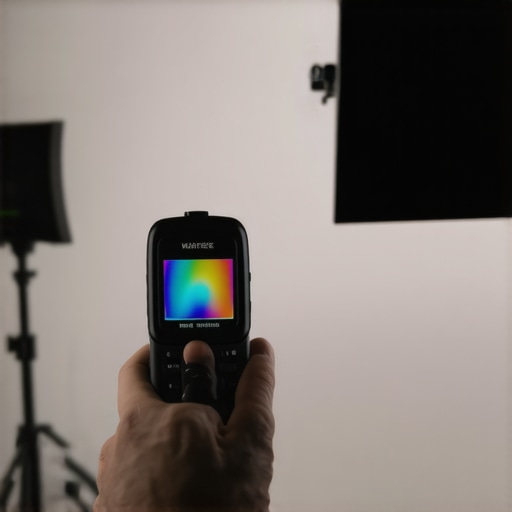
Start by understanding the specific RGB tones your lights emit. Use a calibrated color meter or a high-quality camera with manual settings to analyze the light output. I once borrowed a portable colorimeter for a shoot and discovered that my RGB panels added an unwanted magenta tint to skin tones, causing inconsistency. To fix this, adjust the RGB values directly or select lights with built-in calibration features listed on this guide. Ensuring your lights are calibrated prevents subtle color shifts that complicate post-production.
Neutralize Harmful RGB Tones Using Mixing Techniques
Implement mixing strategies to counteract problematic RGB overlaps. For example, if a blue hue washes out skin, add a touch of amber or warm white to neutralize it—like balancing colors on a palette. During a recent shoot, I noticed my RGB softbox produced a blueish cast under certain settings, making my subject’s skin appear cold. I corrected this by subtly increasing the amber component, which I learned from this resource. Use programmable RGB lights that allow precise tuning, or consider swapping out those with fixed color temperatures. Keep in mind that softboxes with diffusers, like the ones discussed in best softbox RGB options, help spread light evenly and reduce harsh color cast.
Leverage Software for Final Touch-Ups
Despite best efforts, some color casts persist. Use editing software to refine skin tones. Tools like the color grading panels in DaVinci Resolve or Adobe Premiere Pro let you selectively target skin hues and correct shifts. I often apply selective hue corrections on a masked layer, focusing solely on textures and contours of faces, which preserves natural skin appearance. Keep in mind, the goal is naturalness; overcorrection can lead to unnatural skin. To streamline your workflow, consider presets designed for skin tone correction, which can be customized for your specific lighting setup. Check out these presets for inspiration. Consistently documenting your lighting calibrations and corrections helps develop a reliable reference for future shoots. Remember, the key is consistency—calibration ensures your RGB setup produces predictable, accurate skin tones every time.Many creators assume that selecting any softbox or RGB light will automatically guarantee professional-looking results, but in reality, there are several nuanced pitfalls that can sabotage your footage. For example, it’s a widespread myth that higher wattage or lumens directly translate to better quality; however, the truth is that beam quality, color rendering index (CRI), and spectral distribution play more vital roles in achieving natural skin tones and cinematic visuals. Relying solely on brightness without considering these factors often results in flat or unflattering lighting, especially when working with RGB panels where color shifts, noise at lower brightness levels, and inconsistent color reproduction can occur if not properly calibrated. Experts like those at Light Research caution that ignoring these subtleties leads to ‘lighting setups that appear adequate at a glance but fall apart upon closer inspection,’ emphasizing the importance of understanding spectral qualities instead of just the output wattage. Avoid the trap of equating expensive equipment with automatic perfection; instead, focus on mastering the nuances of spectral distribution, color accuracy, and compatibility between your softboxes, LED panels, and camera sensors. Additionally, advanced shooters know that the angle and diffusion quality of softboxes matter just as much—improper diffusion can cause hotspots and glare, which are especially problematic in close-up skin shots. For those looking to refine their lighting approach, tools like calibrated light meters can help you analyze spectral output, ensuring consistent color rendering across different setups. To deepen your knowledge, consider reviewing top guides on RGB softbox setups and how to match these with your camera’s sensors, ensuring seamless skin tone reproduction. If you’re concerned about color shifts under mixed lighting conditions, I recommend exploring comprehensive calibration techniques available in resources like [this guide](https://lights.creatorsetupguide.com/3-fixes-for-led-panel-flicker-on-2026-global-shutter-sensors). Remember, the devil’s in the details—mastering these nuances will elevate your video quality far beyond what basic equipment selection can achieve. Have you ever fallen into this trap? Let me know in the comments.
Investing in top-tier lighting equipment is only the first step. To maintain consistent skin tones and color accuracy over time, regular upkeep of your studio lights, RGB panels, and LED softboxes is essential. Personally, I rely on a combination of calibration routines, protective accessories, and software tools to keep my setup performing at its best. One of my go-to methods involves using a portable colorimeter, which I calibrate my RGB lights against before each major shoot, ensuring that color shifts don’t creep in as equipment ages.
Routine Calibration Makes All the Difference
Regular calibration with specialized tools like the portable colorimetric devices allows me to detect subtle drifts in color output—especially critical for RGB lights and LED panels that may lose calibration after extended use or temperature fluctuations. Incorporate calibration into your weekly or bi-weekly routine, akin to how professional photographers maintain lenses with cleaning and sensor checks.
Upgrade and Replace When Needed
Over time, components like fans in LED panels can wear out, leading to noise or uneven light output. I replaced my older softboxes with newer models that feature improved diffusion and heat management, which also help prevent color inconsistency. Regularly inspecting and swapping out aging parts ensures optimal performance and prevents unexpected color casts during crucial shoots.
Protect Your Investment with Quality Accessories
Using durable diffusers, grid modifiers, and diffusive gels minimizes glare and hotspots, preserving light quality. Additionally, investing in protective covers and proper storage methods prolongs the lifespan of your gear. I recommend cleaning your softbox diffusers and LED panels with microfiber cloths to prevent dust buildup, which can affect light diffusion and color rendering.
Leaning on Software to Detect Subtle Changes
I routinely analyze my footage with color grading software, leveraging tools like DaVinci Resolve to spot inconsistencies early. This practice helps me identify if my lighting setup is drifting from calibration benchmarks, prompting timely adjustments. As trends point toward integrating AI-powered calibration aids, future tools will likely automate these consistency checks, further simplifying maintenance.
How do I maintain my lighting over time?
Implementing a structured checklist, incorporating regular calibration with precise tools, updating components proactively, and using software analysis are key strategies I swear by. For example, my latest upgrade involved integrating a calibrated RGB softbox that offers built-in color stabilization, reducing my weekly calibration time. Keep in mind that as technology advances, staying current with new hardware like battery-powered LED panels (see this guide) and software improvements will make your maintenance routine more streamlined and effective. Finally, consider implementing automation where possible, such as syncing your lights with smart hubs, to keep your setup consistent with minimal manual intervention. Try adopting one of these advanced upkeep strategies today to ensure your lighting always performs at its peak, supporting flawless color accuracy and skin tone reproduction in your videos.
What I Didn’t Expect About RGB Tones and Skin Color Accuracy
One of the hardest lessons I learned was that even the most advanced RGB softboxes can introduce subtle color casts that ruin your skin tones if you don’t calibrate them properly. Discovering this often-hidden detail transformed my workflow and taught me that technology alone isn’t enough—understanding and manual calibration make all the difference.
Another insight was realizing how small shifts in RGB mixes impact the overall footage’s authenticity. I used to rely solely on auto settings, but switching to manual tuning and regular calibration routines transformed my results, saving me hours in post-production and preserving natural skin hues.
Lastly, I learned that constant maintenance—upgrading older LEDs and regularly analyzing footage—is essential in 2026’s fast-evolving lighting landscape. Skipping this step can lead to cumulative inaccuracies that become painfully evident during critical shoots. Embracing this proactive approach keeps my skin tones consistent and my videos looking professional.
My Go-To Resources for Mastering Skin Tone Preservation
I swear by tools like the battery-powered LED panels that stay cool and consistent, ensuring steady color output during outdoor shoots. These reliable tools help me maintain perfect skin tones anywhere.
For calibration, the studio lighting guide offers invaluable tips on choosing the right RGB softboxes and softboxes that diffuse light evenly, eliminating harsh hotspots that can distort skin color.
The flicker-free dimmable LEDs I use ensure uniform lighting without unintended color shifts, especially when working at varying shutter speeds and frame rates. And, of course, post-processing tools like Adobe Premiere’s hue tools sharpen skin tones beautifully if needed, but only as a finishing touch.
Start Taking Control Today and See the Difference
Your ability to reproduce natural skin tones with RGB and softbox lighting in 2026 depends on your willingness to learn and adapt. Investing a little time in calibration routines, choosing quality gear, and ongoing maintenance can elevate your video quality from decent to stunning. Don’t settle for off-tone footage—take control now and see your work stand out with vibrant, accurate skin tones every time.