
I remember the exact moment I realized my lighting setup was holding back my projects. It was a late night shoot, and despite having high-quality studio lights and fancy softboxes, my scenes looked flatter than a pancake. I kept tweaking settings, adjusting gels, and fighting to get that elusive cinematic moonlight effect. That nagging sense of frustration hit me hard—why was nothing bending the light in a way that felt natural? Turns out, the answer didn’t lie in more gear but in understanding how to harness the power of RGB lights with a few simple, strategic tactics.
The First Step to Cinematic Moonlight Magic
Adjust Your Color Temperature Precisely
Start by setting your RGB lights to a cool blue hue around 5,000K to 6,500K. Use your light’s color wheel or app to dial in the exact tone that mimics moonlight. During a shoot, I once spent 10 minutes adjusting a cheap RGB panel to get that perfect icy blue—initially too harsh, but lowering the saturation and fine-tuning the hue created a soft, believable moonlight effect.
Layer Light for Depth and Realism
Don’t rely on a single light. Position an RGB panel at a high angle, behind your subject, pointing slightly downward. Use a second softer light to fill shadows, making the scene appear natural. Think of it as painting with light—adding layers to create depth. When I shot in my small studio, I used a 3-light setup, adjusting each for intensity and color, which prevented the flat appearance common with basic lighting.
Emulate Night Sky and Surroundings
Enhance realism by incorporating subtle background lights that match the moonlight tone. Use a second RGB light with a narrow beam to highlight nearby foliage or architectural features. Avoid overexposure; instead, keep the background slightly dim. This approach was pivotal in my virtual set project, where matching the background to the moonlight increased immersion.
Control Spill and Brightness
Use barn doors, flags, or softboxes to control spill, focusing the light where needed. Lower brightness settings on your RGB panel to avoid washing out your scene. I often start at 20-30% intensity, then tweak until I get a gentle glow. For example, in a recent shot, I reduced the power and used a grid to confine the light, resulting in a moonlit glow that balanced well with natural shadows.
Sync Multiple Lights for Consistency
When using several RGB panels, synchronize their settings through your app or controller to ensure color uniformity. This prevents one light from flickering or appearing mismatched. During a recent nighttime shoot, I employed a syncing feature (learn more about syncing at 7-pro-ways-to-cync-led-panels-for-multi-cam-video-in-2026) which made post-production easier and ensured seamless transitions across shots.
Apply Color Correction and Gels if Needed
If your RGB lights drift from the desired hue, tweak the settings or add gels to narrow the color spectrum. Even minor adjustments help achieve a natural moonlit atmosphere. I once combined RGB settings with a slight magenta gel to counteract a green shift caused by my light’s sensor, resulting in a more skin-friendly appearance in the final footage.
Utilize Softboxes for Diffusion
Pair your RGB lights with softboxes to diffuse harsh edges, creating a softer moonlight effect. A softbox acts as a filter, evenly spreading the light over your scene—similar to how the moon’s glow gently illuminates without sharp shadows. For tight spaces, opt for a small softbox, which you can secure with softbox lighting tips.
Practice and Tweak in Real Time
Constantly observe how your adjustments look through the camera. Small real-time tweaks can make a significant difference. During a recent shoot, I found that slightly shifting the angle of my RGB panel improved the light’s fall-off and enhanced the mysterious moonlit vibe. Don’t hesitate to experiment—moonlight isn’t static, and neither should your lighting be.
Many creators believe that buying the latest RGB LED panels or high-end studio lights automatically guarantees professional results. However, this is a misconception that can lead to costly mistakes. In my experience, understanding the nuanced behavior of lighting equipment—especially RGB lights and softboxes—is crucial to achieving cinematic quality. For instance, a common myth is that brighter lights always deliver better skin tones. In reality, overlighting can wash out details and introduce color imbalances, especially if your lights aren’t properly calibrated according to expert guidelines like those discussed in softbox lighting tips.
Why Do Many Fall for the Brightness Trap?
The allure of high lumen ratings tempts many to overdrive their LED panels, assuming more light equals better footage. This can cause unwanted color shifts, highlight imperfections, and create unnatural skin tones—especially if your RGB lights lack proper calibration or have sensors that drift from accurate color rendition. Advanced creators know that correct color temperature, as demonstrated in sensor calibration techniques, outweigh mere brightness. Instead, focus on balanced lighting ratios and proper diffusion to control shadows and highlights effectively.
Another trap is relying solely on “dimmable” features. While dimming can help set mood, if your dimming isn’t linear or if your lights are poorly designed, brightness may not scale evenly, leading to inconsistencies across shots. This uneven dimming can cause color shifts, particularly with RGB panels that have complex color mixing algorithms, as highlighted in various troubleshooting guides. Mastering this requires understanding the electrical and color science behind LED technology, a topic well covered in expert discussions like softbox and dimming practices.
How Can Even Experienced Users Mistime Their Equipment?
Advanced users often overlook the importance of synchronizing multiple lights, which can result in mismatched color temperatures and inconsistent effects. It’s tempting to set all lights independently, but as seen in multi-light synchronization techniques, properly syncing settings ensures uniform color output and reduces post-production corrections. Failure to do so is an advanced mistake that can diminish realism and the overall quality of the footage.
Furthermore, numerous creators underestimate the impact of ambient and practical lighting. Even the best studio lights can be compromised by poorly managed background or environmental light sources, leading to color washes or contamination of your carefully calibrated scene. Employing black wrap or flags as recommended in light control tactics can mitigate these issues.
By moving beyond basic assumptions and paying attention to these nuanced aspects—such as proper calibration, synchronization, and environmental control—you’ll elevate your lighting from average to cinematic. Remember, mastering light requires an understanding of both hardware capabilities and the science underpinning LED performance, as detailed in industry standards and expert guides. Have you ever fallen into this trap? Let me know in the comments and share your experiences so we can all learn together!”}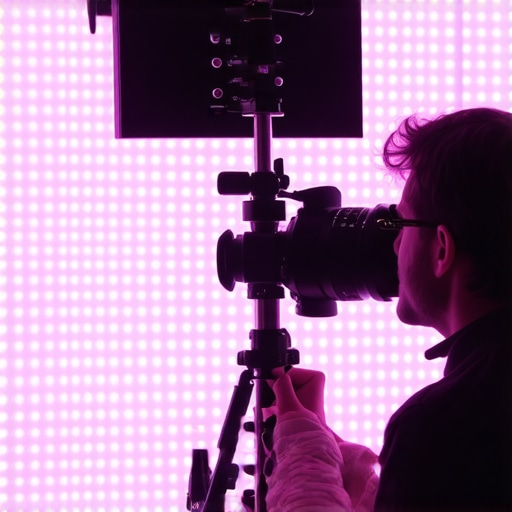 }Here’s a well-described prompt for an image that can be inserted to illustrate this nuanced understanding of lighting pitfalls:
Maintaining your lighting gear isn’t just about occasional cleaning or upgrading—it’s about adopting a strategic approach that ensures consistent performance over time. Especially with RGB lights, LED panels, and softbox setups, knowing the right tools and methods can mean the difference between seamless shoots and frustrating breakdowns. In this section, I’ll share specific tools and practices I’ve personally relied on to keep my studio lighting running smoothly, along with insights into where this trend is headed in the future.
Invest in a Quality Power Meter and Calibration Tools
One of my most valuable tools is a professional power meter. It helps me verify that my LED panels aren’t experiencing voltage sag or inconsistency, which can drift over time and affect color accuracy. For calibration, I use a combination of a colorimeter and software like CalMAN or SpectraCal, which allows me to routinely check and fine-tune my lights. Regular calibration ensures that RGB hues stay precise, avoiding the infamous color washouts that can ruin a scene. As LED technology advances, integrated calibration modules are becoming more common, promising even easier maintenance in the future.
Implement a Routine Maintenance Schedule
Set aside dedicated time every few months to inspect, clean, and test your equipment. Use compressed air to remove dust from vents and fans, especially on LED panels and softboxes, which can accumulate grime that hampers performance. Additionally, verify that all connectors and cables are intact—loose or worn wiring can create flickering or uneven color output. For software, keep your firmware updated—many manufacturers release updates that improve stability and fix bugs, which is crucial for long-term reliability.
Choose Durable, Modular Equipment
When selecting lights, opt for models designed for easy servicing and modular upgrades. For example, many LED panels now feature replaceable drivers and LED strips, allowing you to swap out components rather than entire units. This not only extends the lifespan of your gear but also keeps your setup adaptable to future tech advances. I’ve personally found that investing in sturdy mounting hardware and clamping systems (like those discussed in clamping hacks for LED panels) reduces wear and tear, preventing costly repairs.
Leverage Smart Control Systems
As the industry moves toward smarter studio setups, integrating control hubs like DMX or Wi-Fi-based controllers can streamline your maintenance. By remotely adjusting settings, monitoring voltage, and even scheduling updates, these systems help preempt issues before they escalate. Software has evolved to include diagnostics, alerting you to potential failures on your smartphone or computer. For instance, using synchronization apps (such as described in sync LED panels) allows for consistent color quality across multiple units, reducing the workload on your end.
Future-Proof Your Setup with Upgradable Tech
The trend is moving toward modular, firmware-upgradable lighting solutions that can adapt as technology evolves. Companies are incorporating AI-driven calibration, cloud-based diagnostics, and even predictive maintenance. By choosing equipment compatible with these advancements, your studio can stay ahead of the curve without frequent complete replacements. For example, research into HDR sensors (like those outlined in HDR sensor tech) hints at future tools that will automatically correct color shifts caused by wear or environmental factors.
To put these ideas into practice, I recommend trying out a calibration tool like a colorimeter combined with routine maintenance checks. Even a small investment now can drastically improve your scene’s consistency and reduce long-term costs. Ready to elevate your lighting game? Start by scheduling a calibration session with your existing RGB panels—trust me, the results will surprise you!
Throughout my career, I’ve learned that mastering RGB lights and softbox setups isn’t just about technical specs — it’s about insider knowledge that can elevate your work from good to breathtaking. One of the most impactful lessons was realizing that calibration and synchronization are often overlooked but crucial components in achieving cinematic quality. A simple misalignment can turn what should be a seamless moonlit scene into a distracting mess. Embracing these nuances has allowed me to craft scenes with depth, emotion, and realism that resonate with viewers, proving that sometimes, the smallest adjustments make the biggest difference.
How I Discovered the Power of Calibration and Syncing
Initially, I believed that splurging on high lumen RGB panels was enough. However, ongoing color shifts and inconsistencies puzzled me, especially when working on complex multi-light setups. It wasn’t until I invested in a quality colorimeter and learned to synchronize all my LED panels via dedicated software that my scenes regained their intended mood and color accuracy. Synchronizing settings across all lights eliminated flicker issues and created a unified palette that felt natural and cinematic. Insights from 7-pro ways to sync LED panels revolutionized my approach, turning hardware limitations into storytelling assets.
The Hidden Risks of Ignoring Environmental Light Control
Careful control of ambient and practical lighting environments dramatically influences scene authenticity. I once overlooked the impact of uncontrolled flickering fluorescent lights and reflective surfaces, leading to color contamination and mood disruptions. Incorporating flags, black wrap, and precise placement of softboxes shielded my scenes from unwanted spill and color casts. This experience underscored that achieving cinematic lighting involves more than just your main lights—it’s about managing every environmental factor for consistency and immersion. Practical tips like these are detailed in how to fix skin tone shifts and proved invaluable in my real-world projects.
Overcoming the Brightness Illusion Pushes
For years, I was tempted to increase brightness for quick results, expecting brighter lights to automatically enhance skin tones or scene clarity. This approach often led to overexposed shots and unnatural colors, especially with RGB panels that required careful calibration. Instead, I shifted my focus to mastering color temperature, diffusion, and proper light placement. Adjusting dimming controls and using softboxes to diffuse light created softer, more cinematic effects without excessive brightness. This shift in mindset allowed me to craft scenes that felt both natural and compelling, emphasizing emotional storytelling over brute-force lighting strength. If you want more insights on how to avoid the brightness trap, explore softbox lighting tips.
Embracing the Art of Small Tweaks for Bigger Impact
One of my favorite lessons was understanding that real-time adjustments, even minor ones, significantly affect the mood and realism of the scene. During shoots, shifting the angle of an RGB panel just a few degrees or lowering its power slightly made my scenes glow with a natural, moonlit quality. It meant resisting the urge for quick fixes and instead practicing patience and observation. Committing to these small, deliberate tweaks consistently elevated my storytelling quality and made post-production smoother. I encourage you to adopt this approach—sometimes, the difference between flat and cinematic is a subtle, well-timed adjustment.
Reading through this post really resonated with me because I’ve had similar frustrations with my lighting setups, especially when trying to mimic moonlight. I remember countless late nights tweaking RGB sliders and still ending up with scenes that felt flat. What really changed my game was investing in a good calibration tool and learning how to synchronize multiple lights properly. It’s amazing how small adjustments—like controlling spill or fine-tuning your color temperature—can make a huge difference in realism. I’ve also found that practicing real-time tweaks, as the post suggests, helps me be more responsive during shoots rather than relying solely on post-production corrections. Has anyone here experienced difficulty with maintaining consistent color across several RGB panels over a long shoot? I’d love to hear how you manage calibration and synchronization when you’re under pressure, especially in dynamic environments.