
Ever set up your studio lights, only to find your videos or photos look flat, dull, or weirdly colored? I’ve been there more times than I can count—spending hours tweaking settings, only to realize I was fighting against the lighting instead of working with it. That frustrating moment when you realize your lights are making your shot worse, not better, is a tough pill to swallow. But here’s the truth: mastering your lighting setup can transform your content from basic to stunning, and I’m here to help you do just that.
Why Lighting Makes or Breaks Your Content
Let’s face it—good lighting isn’t just a luxury; it’s a necessity. It’s what separates a professional-looking video from a shaky, poorly lit mess. Whether you’re shooting for YouTube, creating TikToks, or doing professional photos, your lighting choices shape the mood, clarity, and overall quality of your work. When I first started, I wasted a lot of time and money on random gear. I thought more expensive meant better. Turns out, understanding the right setup for your space and goals is what truly counts.
Today, I’ll walk you through the essentials—softboxes, RGB, and LED panels—that can elevate your studio game. I’ll also share some common pitfalls (and how to avoid them) so you don’t repeat my early mistakes. If you’ve ever wondered whether that fancy RGB light is worth it or if softboxes are truly necessary, keep reading. I promise, by the end, you’ll have a clear sense of what gear suits your style and budget, plus some insider tips to make setup a breeze.
Is High-End Lighting Actually Worth the Hype?
When I first bought my softbox kit, I thought I needed the most expensive options to look professional. Spoiler: I was wrong. The key is choosing the right lights for your space and purpose. For most creators, a good softbox or LED panel can do wonders without breaking the bank. If you want to see what works for different setups, check out this top studio lighting tips guide that covers softboxes, RGB, and LED solutions tailored for 2024.
Early on, I also overlooked the importance of light placement and wattage, which led me to unnecessary gear purchases. Trust me, understanding the basics can save you a lot of frustration—and money. Ready to get your lighting right? Let’s explore how each type of light can serve your creative vision.
Position Your Lights Strategically
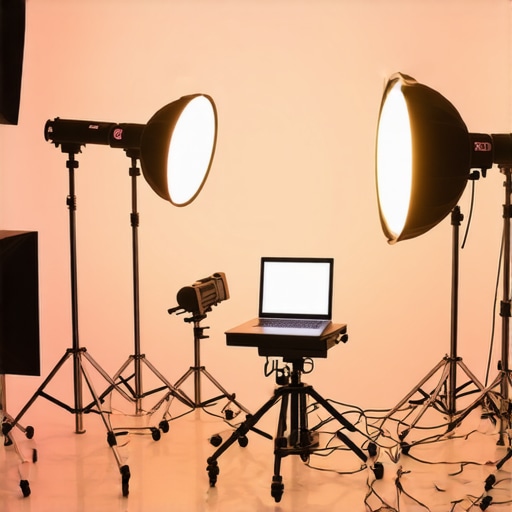
Start by placing your softbox or LED panel at a 45-degree angle from your subject, slightly above eye level. This angle creates natural-looking shadows and depth. I remember once setting my softbox directly in front of me, which made my face appear flat and unflattering. Moving it to the side transformed my shot into a more dynamic and professional look. Use a light stand with adjustable height to fine-tune the angle and distance, ensuring even coverage.
Control Brightness and Color Temperature
Adjust your light’s brightness to match your environment—avoid overexposing or underexposing your subject. Most softboxes and LED panels have dimming features; dial them in until your subject is well-lit without harsh shadows. Next, set the color temperature to match ambient light, typically 5600K for daylight or 3200K for tungsten. I once ignored this and ended up with a weird yellow hue that forced me to redo the entire shoot. Remember, matching your light’s color temperature to your environment ensures consistent, natural results.
Use Diffusers and Bounce Techniques
Diffusers soften harsh light, making your skin look smoother and your background less distracting. If you don’t have a softbox, bounce light off a white wall or ceiling to achieve a similar effect. I experimented with both, and bouncing light became my go-to method for quick setups. For example, during a late-night shoot, bouncing my LED panel off the ceiling gave me a soft, flattering glow without additional gear.
Experiment with RGB and Color Effects
RGB lights add creative flexibility—use them to set moods, match branding, or create eye-catching effects. I once used a vibrant blue to convey a cool, tech vibe, which resonated well with my audience. Learn the basic color mixing techniques by adjusting hue, saturation, and brightness. For more advanced color strategies, check out this top RGB lighting techniques guide.
Balance Your Lighting Setup
Combine softboxes and RGB panels to achieve balanced lighting. Use a key light as your main source, fill lights to reduce shadows, and accent lights for highlights. I once layered a softbox with a subtle RGB wash to enhance my background without overpowering the subject. This layering creates depth and visual interest. Always check your shot from different angles and tweak the intensity to prevent hot spots or uneven lighting.
Test and Adjust Before Shooting
Before recording or shooting photos, run a quick test. Adjust your lights, check the exposure and color balance on your camera, and make small tweaks. I learned this the hard way when I ignored a quick test and ended up with unusable footage. Incorporate this habit into your workflow to save time and ensure professional results every time.
< >
>
Many creators jump into lighting setups with assumptions that, while popular, can actually hinder the quality of their content. Let’s uncover some of the most common misconceptions and how they can lead you astray. Understanding these nuances will help you avoid costly mistakes and craft a truly professional-looking studio environment.
Are Bright Lights Always Better?
Counterintuitively, more illumination doesn’t always mean better results. Overly bright lights can cause harsh shadows, blown-out highlights, and a lack of detail in your footage or photos. Instead, focus on controlling your light’s intensity and using diffusers or bounce techniques to soften the effect. This subtlety often goes unnoticed by beginners who assume that high wattage equals quality. For advanced results, experiment with dimming and layering your lights, as suggested in this ultimate softbox guide.
Color Temperature Is Always Daylight (5600K)
Many believe that setting your lights to daylight temperature is the only way to achieve natural results. However, matching your lighting to ambient sources or creative intent can be more effective. For instance, tungsten lights (~3200K) create a warm, cozy atmosphere, while RGB lights can add dramatic color effects. The key is consistency and understanding your environment. A common mistake is ignoring the color temperature mismatch, which results in unnatural-looking footage. For advanced color matching, consider using a light meter and consulting color science principles, as outlined in this RGB techniques guide.
More Lights Mean Better Lighting
This myth can lead creators to overcomplicate setups and overspend. Often, a well-placed key light combined with a fill and a simple background light is enough. The real secret is in strategic positioning, not quantity. Overloading your scene with multiple lights can cause color inconsistencies, unwanted reflections, or distracting hotspots. Consider the quality and placement of your existing lights before adding more. For tips on balancing multiple light sources, check out this lighting layering advice.
Advanced Question: How Do I Fine-Tune My Lighting for High-Quality Production?
Achieving professional results requires attention to detail—beyond just turning on the lights. Use test shots to evaluate exposure, shadows, and color balance. Adjust your lights’ angles, intensities, and diffusion to sculpt your subject’s features and background. Incorporate the principles of three-point lighting for depth, and consider creative layering with RGB or accent lights for mood. A nuanced approach involves understanding how each element interacts within your space, which is supported by research in lighting psychology and film theory, such as the work of film lighting expert John P. Hess. Practice, experimentation, and critical review are your best tools for refinement.
Have you ever fallen into this trap? Let me know in the comments!
Once you’ve set up your ideal lighting system, maintaining it becomes crucial to ensure consistent quality over time. Regular checks, proper cleaning, and understanding the lifespan of your equipment can save you headaches and costs down the line. I personally recommend establishing a routine inspection schedule—monthly or quarterly—so you can catch issues like flickering bulbs, loose connections, or dust buildup early. Keeping your lights clean not only prolongs their lifespan but also preserves the quality of your output, as dust and dirt can dim light output and affect color accuracy.
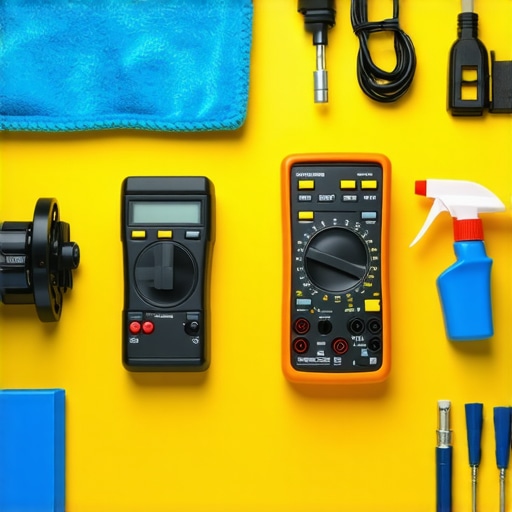
When it comes to tools, I swear by a few essentials that keep my setup running smoothly. First, invest in a good multimeter—a small device that helps you troubleshoot electrical issues quickly. It’s invaluable for checking power supplies and connections without guesswork. Second, keep a set of gaffer tape and cable organizers handy. They’re lifesavers for preventing trip hazards and securing loose wires, which can cause intermittent power problems or even damage your equipment over time.
For cleaning delicate components like LED panels or softboxes, I use a soft microfiber cloth combined with a gentle electronics cleaner—nothing harsh that could damage the surface or alter color calibration. Regular cleaning prevents dust buildup, which can cause overheating or reduce light efficiency. Don’t forget to check your power cords and adapters periodically for signs of wear; replacing frayed or damaged cables immediately can prevent dangerous shorts or fire hazards.
Looking ahead, I believe the trend towards smarter, more durable lighting systems will grow. Innovations like modular LED panels that can be easily upgraded or replaced will become more common, reducing waste and cost. Additionally, software-controlled lighting setups that integrate with your camera or computer will streamline workflows, making adjustments faster and more precise. To stay ahead, I recommend exploring systems like the RGB lighting systems for beginners, which offer both flexibility and longevity.
How do I keep my lighting gear in top shape over time?
The key is consistent maintenance combined with using the right tools. Regularly clean, inspect, and replace components as needed, and use specialized tools like multimeters and cable testers to troubleshoot issues early. Also, store your equipment in a cool, dry place, away from dust and humidity, to prevent corrosion and degradation. By adopting these habits, you’ll ensure your setup remains reliable and professional-looking for years to come. Try incorporating a simple monthly check routine—your future self will thank you!
< >
>
Once you’ve experienced the frustrations of inconsistent lighting, it’s clear that mastering your studio lights is a game-changer. Over time, I learned that even small adjustments—like light placement or diffusion—can dramatically improve your results. The real secret isn’t in expensive gear but in understanding how to work with what you have. Remember, lighting is an art as much as a science, and patience in experimentation pays off in stunning visuals.
What I Wish I Knew When I Started Lighting
- Less is More: Overloading your scene with lights can create chaos. Focus on a few well-placed sources—your key, fill, and background lights—and learn to layer them effectively. This approach saved me from unnecessary complexity and budget bloat.
- The Power of Diffusion: Diffusers soften shadows and make your skin look natural. Initially, I thought softboxes were enough, but bouncing light or using simple diffusion materials made a huge difference in quality.
- Color Temperature Matters: Matching your light’s color temperature to ambient or creative goals creates harmony. I used to ignore this detail, resulting in odd color casts—once I started matching Kelvin temperatures, my shots looked more professional and consistent.
- Test Before You Shoot: Running quick tests with your camera settings and lighting adjustments saves time and prevents disasters. It’s a habit I highly recommend for reliable results every time.
My Favorite Tools for Lighting Success
- Light Meter: This device helps me measure exposure and color temperature accurately, ensuring consistency across shoots. It’s a small investment that pays for itself in quality.
- Cable Organizers and Gaffer Tape: Keeping wires tidy prevents accidents and makes setup faster. I trust these simple tools to keep my workspace safe and professional.
- Microfiber Cloths and Gentle Cleaners: Regularly cleaning my lights and softboxes maintains optimal brightness and color accuracy. Dust and dirt can dim output and skew colors over time.
- Smart Lighting Software: As technology advances, I’m excited about smart controls that let me tweak lights remotely or sync with my camera. Exploring these innovations can elevate your workflow.
Take Action and Shine Bright
Lighting isn’t just about equipment; it’s about your creative vision and how you manipulate light to tell your story. With a little knowledge and experimentation, you can craft professional-quality content that truly stands out. Remember, every successful creator started with a learning curve—don’t be afraid to try new setups and techniques. Your perfect lighting environment is within reach, and it will transform your content in ways you never imagined.
What’s been your biggest challenge with lighting, and how did you overcome it? Share your story below—I’d love to hear your experiences and tips!
I really relate to the point about controlling brightness and avoiding overexposure. In my early days, I used to crank up the wattage thinking more light meant better quality, but I quickly learned that softer, well-placed lighting gives a much more professional look. The advice on using bounce methods really resonated with me—bouncing light off a white wall or ceiling seemed simple yet effective, especially for quick setups. One thing I’ve incorporated over time is dynamic light positioning; I often move my softboxes around during a shoot to see how different angles affect shadows and overall mood. It’s amazing how small adjustments can make such a difference. Have others found that experimenting with different placements has helped refine their style? I’d love to hear how you approach aiming your lights to achieve specific effects or moods.
Reading through the post, I couldn’t agree more about the importance of strategic light placement and using diffusion to soften shadows. I’ve spent quite some time experimenting with bounce techniques, especially bouncing off walls and ceilings, which has given my videos a more natural look without requiring expensive softboxes. I found that adjusting the distance and angle of my lights can dramatically change the mood and depth of my shots, which was a game-changer for me.
One challenge I encountered was balancing color temperature among different lights to maintain consistency. I now use a simple color meter to ensure all lights match well with my ambient background, saving me from those awkward mismatched hues. I’m curious—how do others manage color consistency when layering multiple light sources, especially in more complex setups? Do you rely on specific tools or techniques, or is it mostly trial and error? Would love to hear your tips for achieving a cohesive look while experimenting with RGB and other colored lights.
I really appreciate how the post stresses not overcomplicating lighting setups. Sometimes, I get caught up in trying to add multiple lights and end up causing more shadows or uneven lighting, which defeats the purpose. A simple key light with a soft diffuser and a bounce surface has worked wonders for me, especially when filming in a smaller space. I’ve also started experimenting with adjusting the angle and height of my lights during shoots to see how the mood shifts—sometimes even small changes make a huge difference in the final look.
One thing I’d love to know is how others balance the use of RGB lights with traditional softboxes for a cohesive aesthetic. Do you set a primary mood and then add subtle color accents, or do you go full rainbow in certain scenes? I find layering different lighting types exciting but tricky to get right. Would be great to hear everyone’s approach to blending practical lighting techniques with creative color effects—any tips or experiences you’d like to share?