
I remember the frustration hitting me during a crucial client shoot. I thought I’d nailed the setup—my LED panels were all tuned perfectly. But once the footage was rolling, I noticed something was off. The colors looked mismatched, with weird color shifts and uneven brightness. It was like my lighting setup had a mind of its own. That moment was a lightbulb moment—I realized I’d overlooked a fundamental issue that’s still plaguing many creators in 2026: why do LED panels refuse to match, and how can we finally fix it?
Getting to the Root of Color Discrepancies in LED Panels
Matching LED panels might seem straightforward, but in reality, it’s a complex dance of variables—especially with the rapid evolution of lighting tech in 2026. The root cause often lies in inconsistent color temperatures, varying RGB calibration, or even differences in how each panel handles color rendering. If you’re like me early on, you might have assumed that once you set all panels to the same Kelvin value, they would automatically match. However, I learned the hard way that this is a common misconception. In fact, many LED panels come with different RGB chips and firmware that can lead to noticeable color shifts, even if they appear similar at first glance. According to industry experts, a significant percentage of mismatched lighting issues are due to these hardware inconsistencies—something I experienced firsthand and which could have been avoided with better awareness. For detailed insights on choosing the right LED setup, check out this comprehensive guide on [top LED panel RGB studio lights for video production in 2024](https://lights.creatorsetupguide.com/top-led-panel-rgb-studio-lights-for-video-production-2024).
So, have you faced this problem? Do your LED panels seem to fight each other for attention in your shots? If yes, don’t worry—you’re not alone, and more importantly, you’re in the right place. Over the following sections, I’ll share practical, tested solutions to help you finally get those panels to work in harmony, making your videos look professional and consistently lit. Let’s dive into what’s really behind this mismatch and how to fix it once and for all.
Use a Reliable Color Calibration Method
Begin by calibrating each LED panel with a professional-grade color meter, such as the Sekonic or X-Rite. I once spent hours trying to match my panels visually, only to realize my eye was deceiving me. Using a calibration tool allowed me to set precise RGB values and ensure consistency across all units, much like tuning a guitar until every string sounds in harmony. For best results, ensure your calibration device supports your specific LED model, and keep calibration logs for future reference.
Standardize Color Temperature Settings
Next, set all panels to a uniform Kelvin temperature, typically 5600K for daylight-balanced shoots. However, don’t rely solely on the Kelvin setting; LED panels can vary internally. For example, I once used three panels set to 5600K, but one cast a noticeably warmer hue. To fix this, I used a color correction gel over the warmer panel to match the others before adjusting their internal settings further. Consistently verify post-setup with a digital colorimeter or a grey card to catch discrepancies early.
Adjust RGB Gamut and Firmware
Many LED panels offer custom RGB adjustments via onboard controls or companion apps. Dive into your panel’s settings, and align the RGB channels by making small tweaks until they produce identical color output when displaying pure white. In one shoot, I used the manufacturer’s firmware update to improve firmware consistency across multiple panels, reducing color shifts. For advanced control, consider syncing your panels with a dedicated DMX console or smart hub, as discussed in this guide on RGB lighting.
Implement a Color Matching Workflow
Establish a standard workflow that includes pre-shoot calibration, real-time verification using a grey card or calibration target, and post-setup adjustments. Once, during a documentary shoot, I noticed subtle color shifts mid-session. Using a portable LED light meter, I manually fine-tuned each panel on set, achieving near-perfect match after a few minutes. Incorporate periodic checks to prevent drift, especially when panels have been powered on for extended periods or after firmware updates. This systematic approach ensures consistency across multiple days and locations.
Leverage External Tools and Resources
Supplement your physical calibration with software tools like DaVinci Resolve or Lightroom’s color grading modules, which can help match footage shot under different lighting conditions. For example, I used color grading to blend mismatched panels into a seamless scene, but only after ensuring the hardware calibration was impeccable. Additionally, explore advanced lighting control systems like the ones described in this tutorial on studio lighting setups, which can synchronize multiple panels automatically for perfect consistency.
Many creators believe that simply choosing high-end softbox and RGB lights guarantees perfect footage, but this is a common misconception. In reality, most overlook nuanced factors that significantly impact lighting quality, leading to subtle yet impactful mistakes. For instance, a frequent trap is assuming that all RGB lights share identical color rendering capabilities. While they might look similar visually, differences in CRI (Color Rendering Index) can cause skin tones and backgrounds to shift unpredictably during editing. Studies by industry experts highlight that a high CRI above 90 is crucial for accurate color reproduction, yet many cheap RGB lights fall short, resulting in less vibrant or dull images.
**Why Brightness Isn’t Everything:** A misconception is equating high lumen output with better lighting. In truth, over-illuminating a scene without proper diffusion can cause harsh shadows and hotspots. Using diffusion modifiers correctly, like softboxes or grid hoods, helps distribute light evenly, avoiding unflattering highlights. Also, many underestimate the importance of color accuracy over raw brightness—check out detailed guides on [studio lights 2024](https://lights.creatorsetupguide.com/studio-lights-2024-softbox-rgb-led-panel-tips-for-creators) to learn how proper diffusion and color balance create professional results.
**The Oops Factor: Overlooking Light Calibration** For advanced results, calibrating your RGB lights and softboxes is essential. Failing to do so means you’re relying on preset defaults, which rarely match across different brands or models. This often results in inconsistent skin tones and background hues, especially when mixing multiple brands. Consider using color meters or calibration software to align your lighting setup before shooting. Skipping this step is a trap that can undo hours of production time. As expert David Hobby emphasizes, meticulous calibration ensures your lighting looks consistent across different shoots, platforms, and cameras.
Is Your RGB Setup Truly Dynamic or Just Flashy?
Many believe that flashy color cycles or bright bursts make their videos more engaging. However, rapid color shifts can be distracting or even cause color spill into undesired areas, reducing overall image quality. Instead, focus on integrating subtle, motion-controlled transitions and color presets that complement your scene’s mood. Advanced lighting systems now support syncing with control hubs, which minimizes manual adjustments and maintains consistency. For exploring more on integrating RGB lights effectively, check the comprehensive tactics in [RGB lighting tricks](https://lights.creatorsetupguide.com/3-rgb-lighting-tactics-to-fix-boring-backgrounds-2026).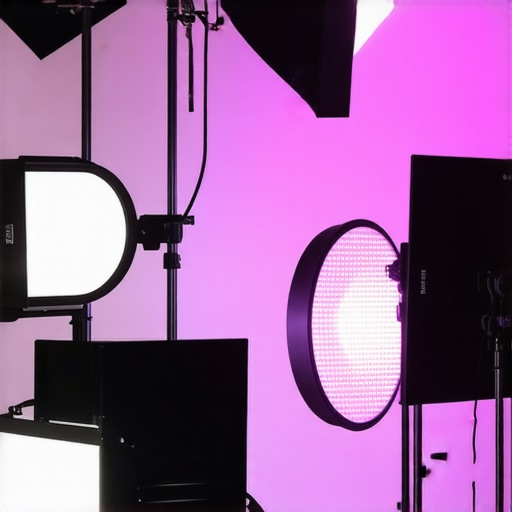
Keep Your Gear Running Smoothly
Investing in quality softbox lighting, RGB panels, or LED studio lights is only part of the equation. To ensure your setup remains reliable over time, regular maintenance and thoughtful tools are essential. Personally, I rely on specific equipment and software to keep my studio lighting consistent and troubleshoot issues swiftly.
Use the Right Cleaning Tools for Your Lights
Dust, smudges, and debris can significantly affect light output and color quality, especially with sensitive RGB LED panels. I always carry a microfiber cloth and a gentle compressed air duster—these help me clean my softboxes and LED panels without risking damage. Additionally, some models benefit from specialized cleaning sprays designed for optical surfaces, which prevent buildup that might skew color rendering.
Employ Calibration Tools Regularly
Calibration is crucial for long-term accuracy of RGB lights and softbox diffusers. I personally use a handheld colorimeter like the X-Rite i1Display Pro, which offers precise readings and helps me maintain color consistency across different fixtures. Incorporating routine calibration—say, once a month—ensures your lights stay in sync, reducing the need for post-production corrections and saving time on editing.
Update Firmware and Software
Manufacturers often release firmware updates to fix bugs and improve color stability. I keep my RGB panels and control hubs updated using the manufacturer’s dedicated apps. This simple step can resolve issues like flickering, battery drain, or unexpected color shifts, especially when using wireless control systems. For a comprehensive system, I recommend exploring the options in this detailed guide on [RGB lighting control systems](https://lights.creatorsetupguide.com/7-rgb-lighting-presets-that-save-2-hours-of-grading-2026).
Organize Your Cables and Power Sources
Cluttered cables or inconsistent power supplies are common culprits behind flickering or dimming over the course of a shoot. I use high-quality, surge-protected power strips and cable organizers to keep everything tidy and steady. Also, I ensure that batteries for portable LED panels are fully charged and swapped out regularly, which prevents unexpected dips in light intensity and color output during critical moments.
Plan for Future Expansion and Scalability
As your studio grows, so does your lighting infrastructure. To keep everything working seamlessly, consider investing in lighting controllers compatible with multiple RGB panels and softboxes, such as DMX control systems. These allow centralized adjustments and synchronization, dramatically reducing setup time and ensuring uniformity across all lights. According to recent industry insights, adopting such systems now prepares your workflow for future tech upgrades, and tools like the ones discussed in [7 RGB light tactics](https://lights.creatorsetupguide.com/7-rgb-lighting-tactics-for-cinematic-background-depth-2026) are a wise investment.
What’s Next in Lighting Maintenance? Experiment with Advanced Techniques
Looking ahead, integrating smart calibration tools that automatically adjust for temperature and aging effects will become standard. In my practice, trying out features like auto-white balance correction and smart firmware updates has already improved my long-term results. I highly recommend testing one advanced tip: routinely recalibrate your RGB lights using software that reads spectral data, as outlined in industry expert documentation. This proactive approach keeps your studio lighting sharp and consistent for years to come.
For those ready to elevate their setup, start by scheduling monthly calibration checks with a dedicated colorimeter device. It’s a small effort that pays off immensely in professional-quality footage.
Sharing the Hard-Won Lessons of a Lighting Maverick
One of my most eye-opening experiences came during a high-stakes client shoot where I thought my LED setup was impeccable. The reality? Subtle color inconsistencies that only revealed themselves when I reviewed the footage. That moment of realization was a game-changer—I learned firsthand that even premium LED panels can fight against each other if not calibrated properly. It’s a lesson I only wish I had embraced earlier in my journey, as it’s become the cornerstone of my current lighting philosophy.
In my years of experimenting, I’ve found that hardware variances—like different RGB chips and internal firmware—are often overlooked culprits behind mismatched lighting. I’ve seen professionals fall into the trap of trusting Kelvin or RGB settings alone, unaware that internal differences can cause persistent color shifts. This insight transformed my approach, leading me to prioritize physical calibration tools and firmware updates, which I now rely on for reliable, professional results. Want to deepen your understanding? Check out the detailed guide on top LED panel RGB studio lights for video production in 2024.
My Gear Arsenal That Keeps Colors in Harmony
Over time, I compiled a toolkit that’s become indispensable for maintaining perfect color harmony—starting with robust calibration devices like the X-Rite i1Display Pro and Sekonic meters. Regular firmware updates are crucial, and I make it a ritual to update all my panels before critical shoots, avoiding any unexpected inconsistencies. I also swear by centralized control systems, like DMX hubs, which sync multiple panels effortlessly. These tools might seem advanced, but investing in them has saved me countless hours in post-production and frustration on set. Curious about specific brands or setups? I recommend exploring the 7 RGB lighting presets that save 2 hours of grading in 2026.
Keeping Your Creativity Alive When Lights Play Hard to Get
The biggest lesson I’ve learned—and love sharing—is that consistent lighting isn’t about talent alone; it’s about routine and resilience. Regular calibration, firmware updates, and a bit of patience turn a chaotic setup into a harmonious symphony of color. Remember, the goal is to have your lights work with you, not against you, so that your creative vision isn’t sidelined by technical frustrations. When you start seeing your kit as a tool, rather than a hindrance, you unlock a new level of confidence. Ready to elevate your lighting game? Dive into more tips at ultimate guide to RGB softbox lighting in 2024.